Can AI Break Ethical Walls? A Guide for Law Firms
Can AI Break Your Law Firm's Ethical Walls? A Simple Guide
A law firm is hired by a global manufacturer to defend it in a patent dispute. A few months later, the firm’s other office is asked to advise the manufacturer’s biggest rival on a related acquisition. Both mandates are valuable, and the conflict can be managed, but only if the firm keeps the two matters separate.
For decades, firms did this with locked folders, restricted floors, and screening memos. Regulators and clients accepted these because they were visible and easy to audit.
Then the firm introduced an AI assistant that searches across everything and answers in seconds.
Now the question has changed. It is no longer “Did we set up the wall?” It is “Can we prove the wall holds when a machine is doing the searching?”
That is the new test of client matter isolation, and it is where regulatory ethics, client trust and technology meet.
What Is an Ethical Wall?
An ethical wall is a rule that keeps one team from seeing another team's client secrets.
Example: Your firm acts for the buyer in a deal, and another office acts for the seller. The two teams must not see each other's files, emails or chats. It is like two people keeping their diaries in locked drawers in the same room.
Walls come from professional duties such as confidentiality (ABA Model Rule 1.6) and conflict screening (Rule 1.10).
Why Clients Care So Much
- Trust is what they buy. A pharma company will not hire a firm if a rival's lawyers can read its drug-trial strategy.
- Courts take it seriously. A failed wall can get a firm removed from a case.
- Corporate counsel are asking questions. Thomson Reuters found that 59% of in-house respondents want their law firms to use generative AI. They also want to know how it is controlled.
Why Walls Break When AI Arrives
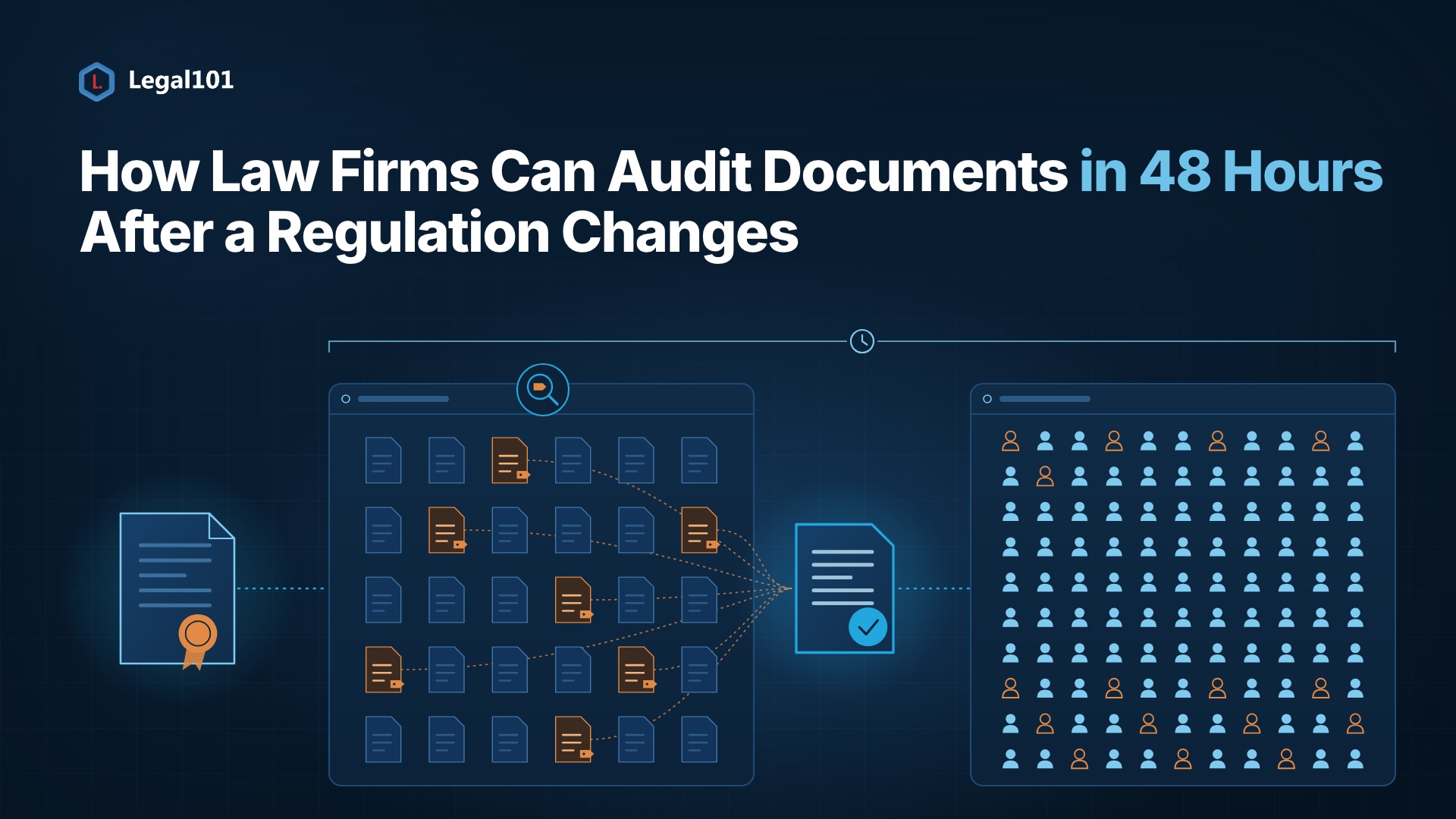
Here is the key idea: AI does not break walls. It finds the doors that were already open.
Microsoft says Copilot only shows content a user can already view. Think of a very fast assistant who tries every door in the building. If one door was left unlocked years ago, the assistant walks right in.
The usual weak spots:
-
1. Folders shared too widely.
Example: Months ago, an associate shared a deal folder with "everyone in the firm" for convenience. Nobody remembers. A person would never find it. AI finds it in seconds. Microsoft's own guidance lists open privacy settings and broken permissions as common causes of oversharing.
-
2. New people join.
Example: A partner joins from a rival firm. Her access to old matter lists stays active for weeks while IT catches up.
-
3. One lock, many doors.
Example: FTI Consulting tested Microsoft's Information Barriers and found that they blocked Teams' chat but not email. The chat door was locked. The email door was open.
-
4. Staff using AI on their own.
Example: A junior paste a client clause into a free chatbot to save time. The 8am 2026 Legal Industry Report found 69% of legal professionals use generative AI, yet 54% of firms offer no AI training and 43% have no AI policy.
-
5. Speed.
A human might never dig through ten years of folders. AI does it in a few seconds.
What Is at Stake?
- Being removed from a matter
- Losing a client or a panel spot
- Bar or regulator attention
- Malpractice claims
- Damage to reputation
One wrongly surfaced summary is enough to cause all of this.
How to Build Walls AI Cannot Walk Through
-
1. Build walls around matters, not just people.
Example: When the conflicts team clears a new deal and flags a screen, access should change automatically. It should not wait for an email to IT that sits in an inbox.
-
2. Clean up before you switch the AI on.
Example: Run a report to find every site shared with the whole firm, then fix them. Microsoft's oversharing blueprint recommends this order: find the exposure, fix it, then monitor it.
-
3. Use more than one lock.
- Information barriers between conflicted teams
- Labels on privileged documents
- Limits on which sites AI can search
Example: A document labelled "Privileged" stays protected even if its folder is accidentally opened.
-
4. Check every door.
Test chat, email, files, meetings, and AI agents separately. A wall that works in one place can leak through another.
-
5. Test like a rival.
Example: Log in as a screened lawyer and ask the AI to summarise the protected deal. The right answer is "I found nothing." Anything else means you found the gap before a client did.
-
6. Treat AI agents like staff.
Give each one access only to the matter team it serves and keep logs of what it retrieves.
-
7. Teach people the basics.
A one-page AI policy and a short training session close to a gap that technology cannot.
A Quick Test for CIOs and Knowledge Managers
Ask your team:
- If a lateral partner joins tomorrow, how fast is their access screened, and can we prove it?
- Can our AI show a document that a screened lawyer cannot open?
- Do we test walls across email, chat and AI agents, or only one tool?
If the answers are slow or unclear, you have found your starting point.
The Bottom Line
Adoption is moving fast. Clio's 2025 Legal Trends Report found that 79% of legal professionals use AI. Governance is not keeping pace.
The firms that stand out will not be the ones using the most AI. They will be the ones that can show clients, with evidence, that every wall still holds.
Ethical walls were always about trust. With AI, trust has to be tested and proven.