The 60-Day Law Firm Intranet:
How Michael Best Beat the Odds with Legal101
A full intranet transformation from legacy SharePoint to a modern, attorney-first platform — delivered in just 8 sprint weeks with zero custom code.
Executive Summary
Michael Best & Friedrich LLP, a recognized Am Law firm, faced a familiar challenge: a legacy intranet built on the ElevatePoint platform atop classic SharePoint had become a liability. Custom HTML, a subsite-heavy architecture, and broken web parts were holding back productivity and frustrating attorneys and staff alike. Leadership demanded a modern replacement, but with no appetite for a year-long project or costly custom development.
In partnership with KL Software Technologies and its Legal101 accelerator platform, Michael Best completed a full intranet transformation in just 60 days. The result: a modern, responsive, attorney-first intranet built on SharePoint Online; with zero custom code, zero technical debt, and measurable gains in search, navigation, and content ownership.
A Legacy Platform at Its Limits
By 2024, Michael Best's intranet infrastructure had become a significant operational risk. The firm had migrated from SharePoint 2016 to SharePoint Online in 2018 but continued to rely on the ElevatePoint platform, a classic SharePoint customization layer that was no longer being actively supported and had grown increasingly incompatible with Microsoft's modern SharePoint architecture.
Core Platform Problems
Six structural problems made the legacy platform unsustainable for a modern law firm.
Leadership Objectives
The firm's leadership articulated a clear set of requirements — focused on speed, sustainability, and user adoption.
Legal101 & the 8-Week Sprint Model
Rather than attempting to build from scratch using only out-of-the-box SharePoint components, an approach the team had already explored and rejected. Michael Best engaged KLST and its Legal101 platform. The engagement was structured around an accelerated, sprint-based delivery model designed to compress what would typically be a 12–18 month project into an 8-week execution window.
Why Out-of-the-Box SharePoint Alone Was Not Enough
"Modern SharePoint is a powerful platform, but its default web parts require significant configuration expertise and design judgment to produce an attorney-grade experience."
The firm lacked dedicated in-house SharePoint development resources. Relying solely on native components
produced a result that was functional — but fell short of the usability and aesthetic
bar required for firm-wide adoption.
The conclusion was clear: a purpose-built accelerator was needed — one that abstracted
away complexity while remaining entirely within the Microsoft stack.
The Legal101 Toolkit
Legal101 provided the 'single pane of glass' that attorneys and staff needed. Key components deployed during the engagement included:
| Legal101 Web Part / Feature | Benefit Delivered |
|---|---|
| Personalized Favorite Links | Quick access to each user's most-used resources |
| Policies & Guidelines Web Part | Centralized, always-current reference materials |
| "How Do I?" FAQ Web Part | Self-service answers; reduces helpdesk load |
| Enhanced Mega Menu | Clearer, more intuitive site-wide navigation |
| People Viewer (top of mega menu) | Immediate access to colleague information from anywhere |
| News Hub with streamlined creation | Faster publishing; improved article discoverability |
| Modern Page Templates | Simplified page updates for non-technical owners |
| Enhanced Firm Directory with filters | Employees find people faster with targeted search |
| Centralized List-based Content Management | Business users own content without IT dependency |
| Dynamic Dept. Contacts via Entra ID | Staff directory always reflects current HR data |
The 8-Week Sprint Plan
The delivery was organized into focused, sequential sprints. Each sprint had a defined scope, clear owner accountability, and measurable exit criteria before the next phase began.
Key Features Delivered
Streamlined Homepage Experience
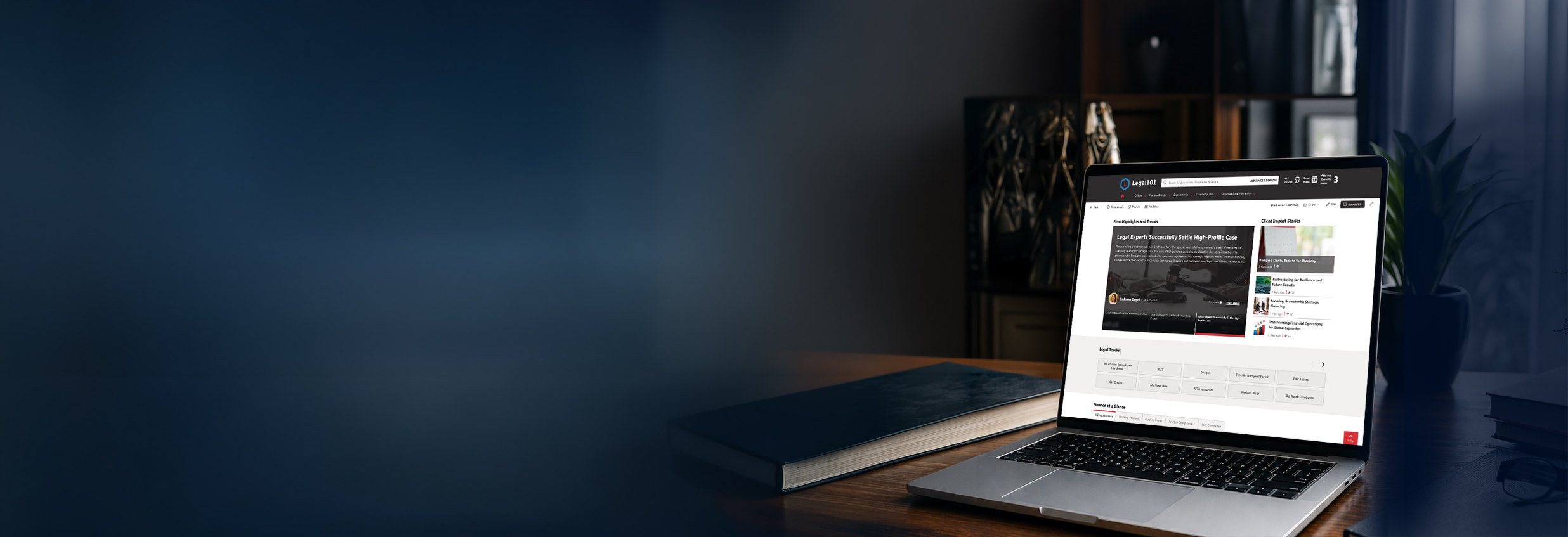
The redesigned homepage replaced a cluttered, HTML-heavy layout with a clean, role-relevant dashboard. Attorneys and staff now land on a page designed around their actual daily workflow: quick-access links, policy references, self-service FAQ answers, and firm news, all without navigating through multiple subsite layers.
Modernized Navigation
The expanded mega menu introduced clearer, more intuitive pathways to firm resources. A prominent People Viewer at the top of the mega menu gives every user immediate access to the firm directory from anywhere in the intranet, eliminating one of the most common friction points in the legacy experience.
Enhanced News & Communications
The new News Hub dramatically reduced the friction associated with publishing internal communications. A streamlined article creation process, improved discoverability through the My News Hub page, and updated visual standards for all news content combined to make firm communications more timely and more widely consumed.
Guided Search for Lawyers
One of the most impactful improvements was the overhaul of the firm's search experience. The enhanced Firm Directory includes targeted filters that allow attorneys to find colleagues by practice group, office, or role in seconds. Intranet-wide search was also reconfigured to surface relevant results faster, reducing the time attorneys spend hunting for documents and precedents.
Modern Page Templates & Content Ownership
The deployment of modern SharePoint page templates and Legal101's list-based content management approach fundamentally changed who can maintain the intranet. Business users across the firm, not just IT staff can now update their department pages independently. Department contacts are dynamically populated from Entra ID, ensuring staff directories are always accurate without manual maintenance.
Lessons Learned
The project team at Michael Best emerged from the engagement with four clear lessons that any law firm embarking on a similar transformation should internalize:
Don't Go It Alone
- Attempting to build without a specialized partner extended timelines and introduced uncertainty
- KLST's Legal101 platform provided subject matter expertise and pre-built components that in-house teams rarely have
- Legal-specific knowledge in the tooling — not just generic SharePoint skill — was the differentiator
Select Your Migration Tool Early
- AvePoint's Fly Migration Tool was the engine behind the content move from the old site to the new one
- Choosing and configuring the tool late in a project creates last-minute risk and delays
- The team built a comprehensive migration spreadsheet mapping every document library before running the tool—reducing errors significantly
Don't Migrate Unnecessary Content
- Legacy intranets accumulate years of outdated, duplicated, and irrelevant content
- Migrating everything uncritically would have undermined search quality and user trust in the new platform
- A deliberate content audit prior to migration ensured only current, accurate content made the journey
Build Time for Content Owner Review
- Granting early access to page content owners before go-live was one of the highest-value decisions the team made
- Content owners identified inaccuracies, updated stale information, and built confidence in the new system before launch
- This approach minimized post-launch corrections and drove significantly higher adoption on day one
Outcomes & Impact
The 60-day engagement delivered measurable, structural improvements across every dimension the firm had identified as a priority:
| Objective Set at Kickoff | Outcome Achieved |
|---|---|
| Eliminate all ElevatePoint legacy code | ✓100% of legacy dependencies removed; zero technical debt remaining |
| Modern, responsive design | ✓Fully modern SharePoint Online experience across all devices |
| Enhanced search performance | ✓Filtered Firm Directory + improved intranet search deployed |
| Simplified content ownership | ✓Business users now own and update pages independently |
| Frictionless user transition | ✓Early access program ensured smooth, well-received launch |
| Avoid long, resource-intensive project | ✓Full delivery in 60 days across 8 structured sprints |
| Minimize change management burden | ✓Content owner program and intuitive design drove organic adoption |
Built on Microsoft's Enterprise Security Layer
Law firms operate in a high-stakes data environment where information security is non-negotiable. The Legal101 implementation addressed this through a deliberate permissions architecture built on standard SharePoint and Microsoft 365 security infrastructure:
All content is governed by Microsoft 365's native security and compliance layer — with no third-party security dependencies introduced at any point in the implementation.
- SharePoint permission groups were restructured during migration to align with the firm's practice group and office structure
- Department-level content ownership was established with appropriate edit rights, eliminating the over-permissioning common in legacy environments
- Department-level content ownership was established with appropriate edit rights, eliminating the over-permissioning common in legacy environments
- Entra ID integration for department contacts ensures that directory data is governed by the firm's central identity management system
- The elimination of custom code removed a significant attack surface and maintenance liability
🛡️ Security Architecture at a Glance
- Microsoft 365 native security & compliance — no third-party dependencies
- Permission groups realigned to practice group & office structure
- Granular department-level content ownership with scoped edit rights
- Entra ID integration — identity data governed by firm's central IAM
- Zero custom code = zero custom attack surface
- AvePoint Fly migration preserves original permission inheritance
- Supports Microsoft Purview compliance policies out of the box
Four Principles for Fast-Track Intranet Success
For KM, IT, Innovation, and Operations leaders at law firms considering a similar initiative, the Michael Best engagement demonstrates four replicable principles:
Speed to Value
Move from planning to a usable production application in weeks, not years, by leveraging purpose-built accelerators
Zero Technical Debt
Use standard SharePoint features and Legal101 web parts to avoid the custom-code trap that derailed the previous platform
Practitioner-First Design
Organize the entire information architecture around the actual daily workflow of a lawyer, not the org chart
High Adoption Through Ownership
Give content owners early access and editing capability; adoption follows naturally when users help shape the final product
Tools to Accelerate Your Own Transformation
KLST has packaged the methodology, frameworks, and tools used on the Michael Best engagement into a set of practitioner resources available to firms evaluating or planning a similar initiative.
Migration Playbook
KLST offers a detailed playbook capturing best practices for migrating from Legacy SharePoint (classic, subsite-heavy architectures) to the Modern SharePoint Online experience. Key elements include pre-migration content audit methodology, AvePoint Fly configuration guidance, and permission restructuring templates.
Learn MoreSprint Guide
The 8-sprint framework used on the Michael Best engagement is available as a structured sprint guide for internal teams. It defines sprint scope, owner accountability, exit criteria, and recommended tooling for each phase of an accelerated intranet rollout.
View Sprint GuideSecurity Framework
KLST's security framework documentation covers real-world guidance on managing SharePoint permissions, integrating with Entra ID, and establishing sustainable content ownership models that satisfy both productivity and compliance requirements.
Read Framework